


UKG Pro Learning
3.0121.00 Reviews
App Specs
- Version
- 12.2.1
- Updated On
- License
- Free
- Downloads
- 100,000+
- Developer
- UKG, Inc.
- Categories
- Business
- Platform
- Android
Screenshots
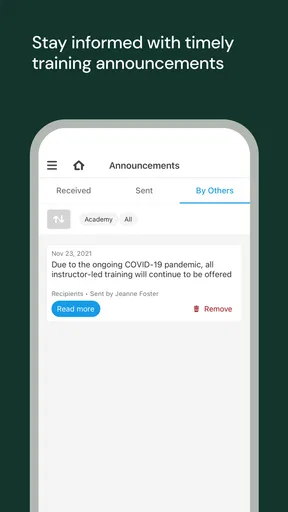
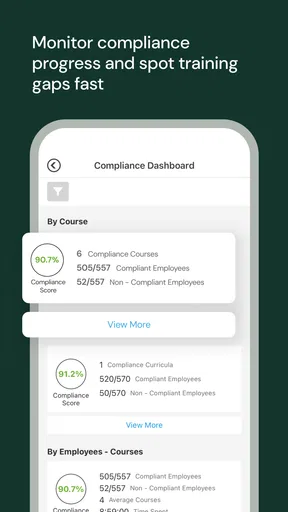
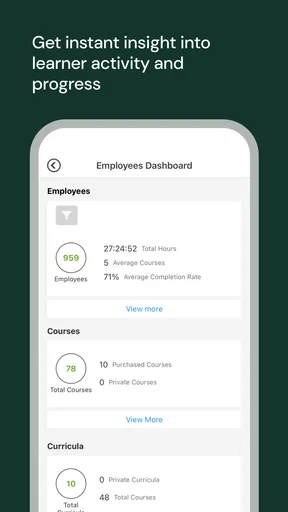
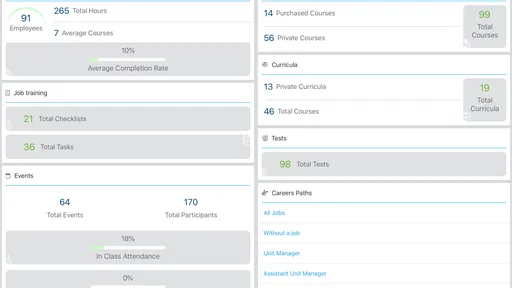
 Analysis by AppCompare
I approached UKG Pro Learning as a work-focused companion rather than a general education app. It is the mobile learning application from UKG, Inc., built for people whose training is connected to their employer’s UKG Pro environment. That distinction matters immediately: this is not a public course marketplace where anyone can browse a large catalog and start learning independently. Its usefulness depends on how an organization has arranged learning and how consistently employees use it.
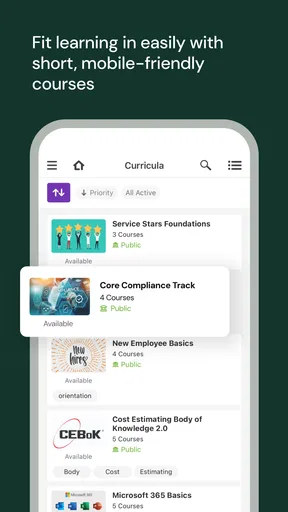
In my experience, the app makes the most sense when learning has to fit around a normal workday. A quick review before a shift, a required lesson during a break, or a return to a course after an interruption are all more natural on a phone than through a desktop-only portal. The app is free and rated for Everyone, while access to particular learning content is tied to the user’s workplace setup rather than to buying individual courses.
How UKG Pro Learning fits into a normal workday
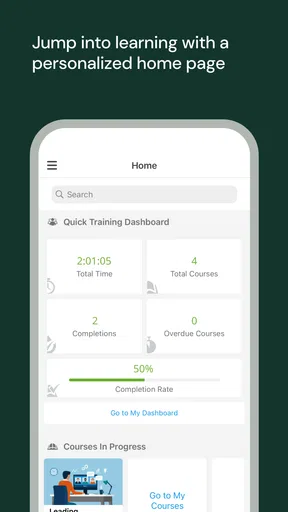
The baseline workflow is straightforward. I would open the app when I had a specific learning task in mind, look for the assigned or relevant course, continue where I left off, and use the phone for short sessions instead of treating it like a full office workstation. That approach keeps the experience practical. The app is most valuable when it removes the need to wait until I am back at a computer.
A realistic example would be an employee who receives training before taking on a new responsibility. Rather than blocking out a long evening, they can use a quiet period to review one section, close the app, and return later. The important habit is to treat the mobile app as a continuity tool. It helps carry workplace learning into moments when a laptop is inconvenient, but it does not turn a complicated training program into a frictionless one.
I also found that the app works better when I start with a clear purpose. If I am completing assigned learning, I focus on that queue first. If I am refreshing a procedure, I search for the relevant material instead of browsing aimlessly. This sounds simple, but it prevents the common problem of opening a learning app with no plan and leaving without completing anything.
The experience is particularly suitable for distributed teams, field workers, retail staff, and employees who move between locations. A phone-based option can make training feel less tied to a desk. It is also useful for people who need occasional refreshers rather than long study sessions. Someone who only wants independent language lessons, professional certificates, or hobby courses will probably find a dedicated learning marketplace more appropriate.
One practical point is to check your sign-in route before you need the app. Because this is part of the UKG Pro ecosystem, the smoothness of access depends on the organization’s account arrangement. If your employer normally uses a particular workplace login process, having that information ready saves time. I would not judge the learning content until I had confirmed that I was entering through the account connected to my employment.
Worth Reading Before You Choose

EA SPORTS FC Mobile 26 Is a Bigger Football Game, but It Takes Time

Flipboard Shows What News Apps Must Do Beyond the Feed

Switching to Android Auto Means Rethinking Your Driving Routine

Google Calendar Makes a Crowded Week Easier to Manage

Ludo King Makes the Most of the Minutes Between Plans

Baby Panda World Brings Quick Play to Modern Phones, but Its Game Library Feels Busy
The app’s public footprint suggests a reasonably established but not universally loved tool. It has more than one hundred thousand installs, an average rating of three out of five from roughly three hundred ratings, and over one hundred written reviews. I read that combination as a reason to keep expectations measured: many people clearly use it, but the experience may vary with employer configuration, account access, and the quality of the assigned material.
Settings and preparation worth checking first
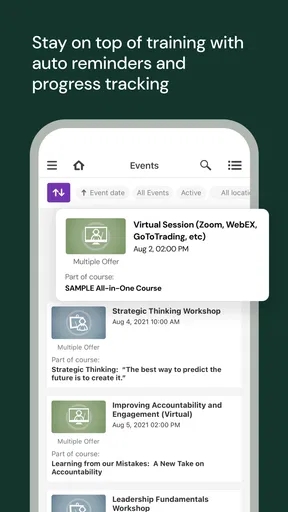
Before trying to build a routine, I would inspect the account and notification settings available in the app. The goal is not to switch on every alert. It is to make sure reminders support actual work habits rather than adding noise. If training notifications arrive during busy hours, they are easy to dismiss. A smaller number of useful prompts is more effective than constant interruptions.
I would also check how the app presents unfinished learning. A clear resume path is important on a phone because mobile sessions are often interrupted. If I have to remember the exact course title, section, or screen every time, the app becomes less useful for short breaks. When the interface offers a direct continuation option, I would make that the center of my routine.
Another worthwhile check is text size and screen orientation. Training pages designed for a desktop can feel cramped on a phone, especially when they contain dense instructions or long explanations. I prefer reading carefully in portrait mode, then rotating the device only when a particular lesson needs more horizontal space. This small adjustment can make the difference between completing a section and postponing it.
Sound is worth considering too. Workplace learning is often completed in shared spaces, so I would not assume that audio-based material is convenient. Headphones may help, but they are not always appropriate during a shift. If a course depends heavily on spoken explanations, I would schedule it for a quieter moment rather than trying to force it into a noisy environment.
I would also review device storage and connectivity before starting a longer session. I am not treating this as a promise that every course can be downloaded or used offline; that depends on how the organization’s content is delivered. The useful habit is simply to avoid beginning an important lesson in a place with unreliable service. A stable connection reduces the chance of losing momentum at the worst moment.
Privacy is another part of preparation. This is a business learning app, not a personal notebook. I would use the account associated with work and avoid assuming that progress, assignments, or completion records behave like private study notes. Anyone who needs a personal archive of learning should keep their own permitted notes separately, following workplace rules.
Faster patterns for repeat users
Experienced users can make the app feel faster by creating repeatable entry points. I would keep the app in an easy-to-reach position on the phone, open it at the same stage of the workday, and decide in advance whether the session is for assigned training, review, or reference. The shortcut is not a secret feature; it is a consistent behavior that removes small decisions.
For short sessions, I would aim to finish a meaningful unit rather than stopping at an arbitrary time. That might mean completing a short lesson, reaching a natural checkpoint, or writing down the next action before closing the app. The last step is especially useful when the course does not immediately return me to the exact place I expected. A brief note such as “continue the safety module” is enough to restore context later.
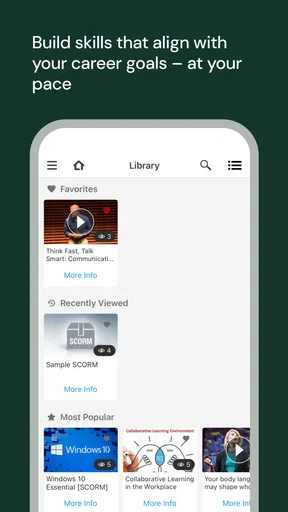
Search and navigation should be used deliberately. If I know the subject, I would search its exact workplace wording rather than entering broad terms. Internal training libraries often use names that match company procedures, so a precise phrase is more likely to lead me to the right material than a general topic. If I am unsure of the official title, I would begin with the assignment or category shown by the organization instead of guessing several unrelated searches.
I also recommend separating completion from understanding. Finishing a required item may satisfy an administrative goal, but it does not guarantee that the information will be useful later. After a lesson, I would identify one action that changes what I do at work. This makes the mobile session more than a box-ticking exercise and helps reveal which subjects deserve a second pass.
A useful routine for supervisors or team leads is to encourage employees to use the app in small, predictable windows rather than telling everyone to “complete training when possible.” That instruction sounds flexible but often produces delay. A defined moment, such as the beginning or end of a scheduled learning period, gives the app a place in the day without pretending that every role has the same availability.
There is also a trade-off between phone convenience and screen comfort. I can move through a short item quickly on a mobile display, but detailed policy material may be easier to understand on a larger screen. My preferred pattern is to use the phone for access, continuation, and quick review, then switch to a desktop when the material demands comparison, careful reading, or extended note-taking. Treating both devices as complementary is more sensible than insisting that one must replace the other.
Where the mobile approach reaches its limits
The biggest limitation is that the app cannot compensate for weak training design. If an organization assigns unclear courses, provides outdated instructions, or gives users no time to learn, a mobile interface will not solve the underlying problem. The app can make access more convenient, but it cannot create context, coaching, or meaningful feedback that the employer has not supplied.
It is also not the right choice for every kind of learning. I would skip it as a primary study tool if I wanted a broad catalog of independent courses, a personal learning history unrelated to work, or a structured program that I could purchase and manage myself. A general education platform is better for those goals. UKG Pro Learning is strongest when the user already belongs to an organization using the UKG Pro learning environment.
Users who dislike working on a phone may find the experience tiring. Long passages, complex diagrams, and detailed assessments can be less comfortable on a small screen. Even when the app makes the material available, availability is not the same as ideal presentation. I would not force a lengthy course into a mobile session simply because the app is installed.
The rating of three out of five is another reason to approach it as a practical workplace utility rather than a polished consumer product. Ratings do not explain every individual experience, and the app’s value can depend heavily on the employer’s configuration. Still, the score suggests that convenience may come with occasional friction. If sign-in, navigation, or course delivery repeatedly interrupts work, the organization should address that process rather than expecting employees to work around it indefinitely.
Version 12.2.1 indicates that the app is maintained as a current product, and it supports devices running Android 8.0 or later. That makes it accessible to many existing phones, although anyone using an older device should check compatibility before planning a training session around it. I would also keep the app updated when possible, especially if workplace access changes or the organization announces a new learning requirement.
Another limit is the difference between a reminder and a learning strategy. Notifications may bring a course back to mind, but they do not decide whether the user understood the material. I would use reminders as prompts, then build a simple review habit around important subjects. For procedures that affect daily work, a quick revisit after the initial completion can be more valuable than rushing through everything once.
Who should use it and who should choose another tool
I would recommend UKG Pro Learning to employees whose organizations already assign training through UKG Pro, especially those who need access away from a desk. It is a sensible fit for short, recurring learning tasks, distributed teams, and workers who benefit from continuing a course on a phone. It can also help managers encourage a more regular training rhythm when mobile access is the main barrier.
I would be more cautious for someone who has not been told how their company uses the platform. Installing the app alone does not guarantee that it will contain useful courses or connect to the correct account. The first question is whether the employer has enabled and organized learning there. If the answer is no, a personal learning app will provide a more immediate experience.
For a learner choosing between this and a normal browser-based workplace portal, I would choose the mobile app when convenience and continuity matter most. I would choose the browser when I need a larger view, extended reading, or easier multitasking with work documents. Neither option completely replaces the other. The best choice depends on the lesson and the setting in which I am taking it.
For employers, the key trade-off is reach versus control. A mobile app can make assigned learning easier to reach, but employees still need clear expectations, realistic time, and well-structured content. If those pieces are present, the app becomes a useful delivery channel. If they are missing, the phone may simply make an inconvenient process available in more places.
My verdict after building a repeatable routine
UKG Pro Learning is a focused business app, not a universal learning destination. I like it most when I use it with a simple system: confirm the correct account, adjust notifications, reserve short learning windows, resume unfinished work deliberately, and move to a larger screen when the material becomes demanding. Those habits make the mobile format genuinely useful without pretending it can do everything.
The app’s free availability and Everyone age rating make it easy to approach, while its connection to UKG, Inc. and the UKG Pro environment defines who will benefit most. Its established install base shows that it serves a real workplace need, but the middling average rating tells me to expect variation rather than perfection. My own recommendation is therefore conditional but clear: use it when your employer’s training already lives in UKG Pro and you need flexible access.
I would not choose it for self-directed education, extensive personal study, or courses that demand a large screen throughout. For those situations, a dedicated learning platform or the desktop version of a workplace system may be better. But for an employee trying to turn scattered breaks into consistent training progress, this app can be a practical part of the routine. Its real strength is not flashy mobile innovation; it is making assigned workplace learning easier to pick up, continue, and finish.
Pros
- Mobile access makes it easy to complete training away from a desk.
- Course reminders help employees keep up with assigned learning.
- Progress tracking lets users quickly see unfinished training.
- Supports different learning formats
- including videos and documents.
- Useful for organizations managing mandatory compliance courses.
Cons
- Some features may be unavailable unless enabled by the employer.
- Navigation can feel less intuitive when many courses are assigned.
- Video lessons may consume significant mobile data.
- Performance can depend on the company’s UKG configuration.
- Limited control over course content for individual learners.
FAQs for UKG Pro Learning
What is UKG Pro Learning used for?
UKG Pro Learning is a workplace learning platform designed for employees, managers, and administrators. It lets users access assigned training, browse available courses, complete learning activities, view progress, and receive updates from their organization. The exact tools and content depend on how the employer has configured the UKG Pro Learning environment, so available features may vary between companies.
Do I need an employer account to use UKG Pro Learning?
Yes, UKG Pro Learning is generally intended for organizations that use the UKG learning system. You typically need valid credentials or an invitation from your employer before you can sign in. Downloading the app alone does not usually provide access to courses. If your login fails, your company’s HR, learning administrator, or IT support team will normally need to activate or reset your account.
Can I complete courses and training from a mobile device?
The mobile experience is designed to let learners access training while away from a computer, although the exact activities supported can depend on the course and your organization’s setup. You may be able to watch learning content, complete assigned tasks, review materials, and track progress. A stable internet connection is recommended, especially for video lessons or larger course resources.
Does UKG Pro Learning track my course progress and completion?
Yes, learning activity is typically recorded so employees and administrators can monitor assigned training, completion status, and progress. Some courses may also include deadlines, assessments, certificates, or required acknowledgments. Tracking rules are controlled by your employer, so not every activity will be measured in the same way. Check the course details if completion requirements are unclear.
Is UKG Pro Learning free to download and use?
The app may be available to download without a separate purchase, but access to its learning content is usually provided through an employer or organization with a UKG Pro Learning subscription. Users generally do not choose individual courses independently or pay through the app. Mobile data charges may still apply, and some features may require an internet connection or company-managed access.


